
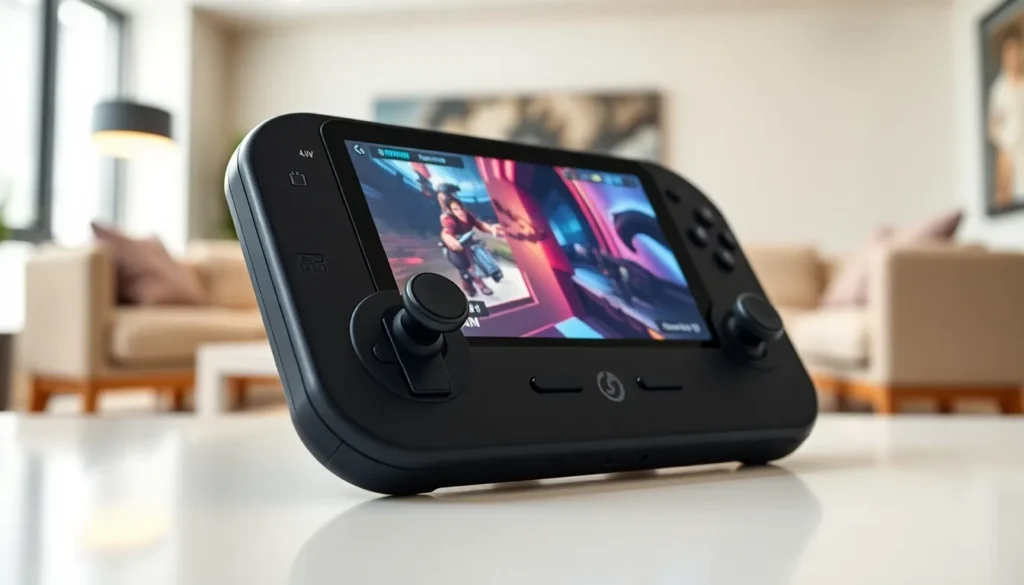

The Steam Deck changed portable gaming when Valve released it in 2022. This handheld gaming PC lets players enjoy their full Steam library anywhere. It runs a custom Linux-based operating system and packs serious hardware into a portable form factor. Whether someone wants to play AAA titles on a plane or tackle indie games on the couch, the Steam Deck delivers. This guide covers everything buyers need to know, from specs and performance to practical tips for getting the best experience.
Table of Contents
ToggleKey Takeaways
- The Steam Deck is a handheld gaming PC by Valve that lets you play your entire Steam library anywhere, with full PC functionality.
- Choose between the LCD and OLED models—the OLED version offers a brighter HDR screen, 90Hz refresh rate, and up to 50% longer battery life.
- Thousands of games are Deck Verified, including popular titles like Elden Ring and Baldur’s Gate 3, ensuring smooth gameplay out of the box.
- Extend your storage affordably by using a high-speed microSD card (up to 2TB) for your game library.
- Maximize battery life by locking framerates to 40fps, lowering brightness, and enabling AMD’s FSR upscaling technology.
- The Steam Deck offers better value than competitors like the ROG Ally and Legion Go, with optimized SteamOS, longer battery life, and a more portable design.
What Is the Steam Deck?
The Steam Deck is a handheld gaming PC made by Valve. It functions like a portable computer that runs SteamOS, Valve’s custom operating system based on Linux. Users can access their entire Steam library and play thousands of PC games without being tied to a desk.
Valve designed the Steam Deck to feel familiar to console gamers. It features built-in controls including thumbsticks, a D-pad, face buttons, triggers, and trackpads. The 7-inch LCD touchscreen (or 7.4-inch OLED on newer models) displays games at 1280×800 resolution.
Unlike traditional consoles, the Steam Deck gives users full PC functionality. Players can install Windows, run other game launchers like Epic Games Store, or use the device as a portable desktop computer. This flexibility makes the Steam Deck stand out from dedicated gaming handhelds.
Valve offers multiple versions of the Steam Deck at different price points. The original LCD models came with 64GB, 256GB, or 512GB storage options. In late 2023, Valve released the Steam Deck OLED with improved battery life, a better screen, and faster WiFi.
Key Features and Specifications
The Steam Deck runs on a custom AMD APU that combines CPU and GPU power. The processor features a Zen 2 architecture with 4 cores and 8 threads running at 2.4-3.5 GHz. The RDNA 2 GPU delivers 1.6 teraflops of computing power, enough for most modern games.
Display Options
The original Steam Deck uses a 7-inch IPS LCD panel with 400 nits brightness. The Steam Deck OLED upgraded this significantly. It features a larger 7.4-inch HDR OLED screen with 1000 nits peak brightness and 90Hz refresh rate. Both versions run at 1280×800 resolution.
Memory and Storage
Every Steam Deck includes 16GB of LPDDR5 RAM. Storage varies by model:
- 64GB eMMC (LCD, discontinued)
- 256GB NVMe SSD (LCD and OLED)
- 512GB NVMe SSD (LCD and OLED)
- 1TB NVMe SSD (OLED only)
All models support microSD card expansion. Users can store games on cards up to 2TB.
Battery and Connectivity
The LCD Steam Deck has a 40Wh battery lasting 2-8 hours depending on the game. The OLED version bumped this to 50Wh, adding roughly 30-50% more playtime. Both charge via USB-C and support 45W fast charging.
The Steam Deck includes WiFi, Bluetooth 5.0, and a USB-C port that handles video output. Players can connect it to a TV or monitor using a dock or USB-C hub.
Gaming Performance and Compatibility
The Steam Deck handles most games well at its native 800p resolution. Older titles and indie games often run at 60fps with high settings. Newer AAA games typically need medium or low settings to maintain smooth framerates.
Valve created a compatibility rating system called Deck Verified. Games fall into four categories:
- Verified: Works perfectly on Steam Deck
- Playable: Runs but may need tweaks
- Unsupported: Has significant issues
- Unknown: Not yet tested
Thousands of games carry the Verified badge. Popular titles like Elden Ring, Baldur’s Gate 3, and Hades run great on the Steam Deck. Some games with aggressive anti-cheat software don’t work, but this list keeps shrinking.
The Steam Deck excels at running older games. Titles from the PS3/Xbox 360 era often hit 60fps at high settings. Emulation also works well, players run everything from Nintendo Switch games to PlayStation 2 classics through various emulators.
Performance varies based on how developers optimize their games. Some AAA releases get specific Steam Deck optimizations. Others require community-created tweaks found in ProtonDB, a database where users share compatibility reports.
Steam Deck vs Other Handheld Gaming Devices
The handheld gaming PC market has grown since the Steam Deck launched. Here’s how it compares to the main competitors.
Steam Deck vs Nintendo Switch
The Nintendo Switch costs less and has exclusive games like Zelda and Mario. But, the Steam Deck offers significantly more power and access to a larger game library. The Switch works better for casual gamers who want simplicity. The Steam Deck suits PC gamers who want portability.
Steam Deck vs ASUS ROG Ally
The ROG Ally runs Windows and has a faster processor. It handles newer games at higher framerates. But it costs more, has shorter battery life, and lacks the Steam Deck’s trackpads and back buttons. The Steam Deck offers better value and longer playtime.
Steam Deck vs Lenovo Legion Go
The Legion Go features a larger 8.8-inch screen and detachable controllers. It runs Windows natively and has more raw power. The trade-off? Higher price, bulkier design, and worse battery life. The Steam Deck remains the more portable and affordable option.
The Steam Deck’s biggest advantage is SteamOS. Valve optimized the operating system specifically for handheld gaming. Sleep/resume works instantly, and the interface feels designed for controllers. Windows handhelds often feel like shrunken laptops.
Tips for Getting the Most Out of Your Steam Deck
New Steam Deck owners can improve their experience with a few adjustments.
Manage Storage Wisely
Games fill up storage fast. Buy a high-speed microSD card (A2-rated or better) and install larger games there. Keep frequently played titles on the internal SSD for faster load times. Uninstall games after finishing them, cloud saves keep progress safe.
Optimize Battery Life
The Steam Deck drains quickly during demanding games. Lock the framerate to 40fps in less intense titles. Lower screen brightness. Use FSR (AMD’s upscaling technology) to reduce GPU workload. The OLED model’s larger battery helps, but these tips extend playtime on any version.
Customize Controls
Steam Input lets users remap every button. The trackpads can function as mouse input, gyro aiming, or radial menus. Community controller layouts exist for most games, search Steam for configurations other players created.
Use Desktop Mode
Hold the power button and select “Switch to Desktop” to access a full Linux desktop. Install non-Steam games, web browsers, or productivity apps. The Steam Deck works as a capable mini PC when connected to a monitor.
Check ProtonDB
Before buying a game, search ProtonDB.com to see how it runs. User reports reveal performance issues, necessary tweaks, and optimal settings. This saves money on games that don’t work well.


