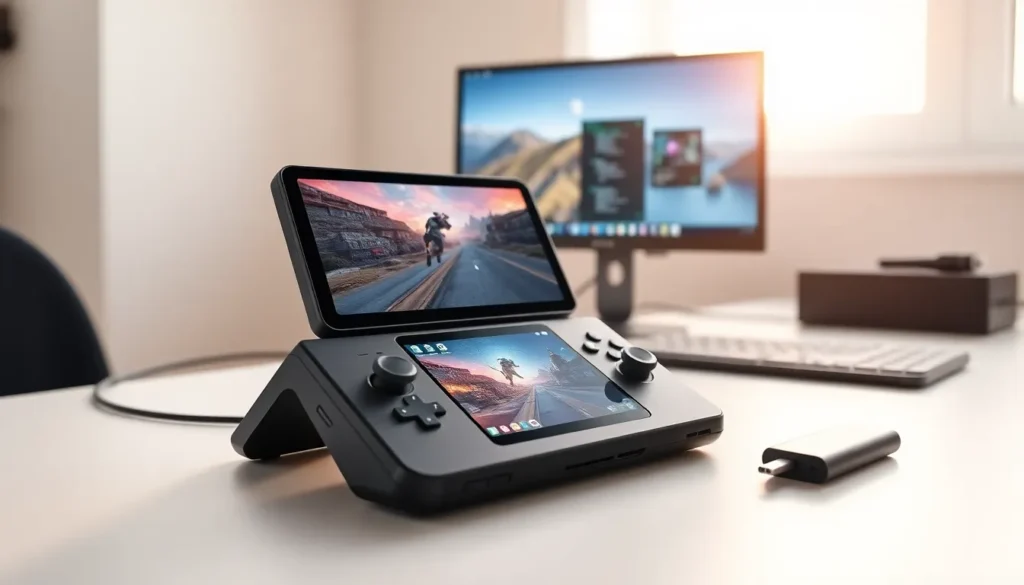

The Steam Deck changed portable gaming when Valve released it in 2022. This handheld PC runs full desktop games, emulates retro consoles, and even works as a mini computer. Steam Deck examples range from playing massive AAA titles on a plane to running spreadsheets at a coffee shop. The device packs serious hardware into a portable form factor, and users keep finding new ways to push its limits. This guide covers practical Steam Deck examples that show what Valve’s handheld can really do.
Key Takeaways
- Steam Deck examples include playing AAA games like Elden Ring and Cyberpunk 2077 at 30-60 FPS on the go.
- Emulation is a top Steam Deck use case, supporting classic consoles from Nintendo 64 to PlayStation 3 through tools like EmuDeck and RetroArch.
- Desktop mode turns the Steam Deck into a portable Linux computer for web browsing, productivity apps, and light work tasks.
- Streaming services like Steam Remote Play, Xbox Cloud Gaming, and GeForce Now let users play demanding games without draining local hardware.
- Hardware mods such as SSD upgrades, screen replacements, and cooling improvements expand the device’s capabilities beyond factory specs.
- Creative Steam Deck examples from the community include car entertainment setups, mini-arcade cabinets, and smart home controllers.
Playing AAA Games On The Go
The most obvious Steam Deck example is playing modern AAA games anywhere. Titles like Elden Ring, Cyberpunk 2077, and Baldur’s Gate 3 run on this handheld device. Players report getting 30-60 FPS on medium to high settings for most demanding games.
Valve’s hardware includes a custom AMD APU with RDNA 2 graphics. The 7-inch screen displays at 1280×800 resolution, which actually helps performance. Games don’t need to push as many pixels as they would on a 4K monitor.
Some Steam Deck examples of AAA gaming performance:
- God of War runs at 40+ FPS on medium settings
- Red Dead Redemption 2 hits stable 30 FPS with optimized tweaks
- Hogwarts Legacy plays smoothly at lower graphical presets
- Spider-Man: Miles Morales performs well at native resolution
Steam’s built-in compatibility checker rates games as “Verified,” “Playable,” or “Unsupported.” Thousands of titles now carry the Verified badge. The handheld handles most PC games that released before 2023 without major issues.
Battery life varies by game intensity. Lighter indie titles give 6-8 hours of play. Demanding games drain the battery in 2-3 hours. Many users carry portable chargers for extended sessions.
Emulating Classic Consoles And Retro Games
Emulation represents one of the most popular Steam Deck examples among enthusiasts. The device runs emulators for nearly every classic gaming system.
EmuDeck, a popular software package, installs multiple emulators at once. Users can play games from:
- Nintendo 64, GameCube, and Wii
- PlayStation 1, 2, and 3
- Sega Genesis, Saturn, and Dreamcast
- Game Boy, DS, and 3DS
- Original Xbox
The Steam Deck’s power handles PS2 and GameCube emulation without issues. Even PS3 emulation works for many titles, though performance varies by game.
RetroArch provides another Steam Deck example of emulation flexibility. This frontend organizes dozens of emulator cores in one interface. Users switch between systems seamlessly.
Steam ROM Manager adds emulated games directly to the Steam library. Cover art downloads automatically. Players scroll through their entire retro collection alongside modern PC games.
The control layout maps well to classic controllers. Four face buttons, two analog sticks, a d-pad, and multiple triggers cover most bases. Back paddles can handle extra inputs when needed.
Legal note: Emulators themselves are legal software. Users should own physical copies of games they emulate.
Using The Steam Deck As A Portable Desktop
Desktop mode transforms the Steam Deck into a full Linux computer. This Steam Deck example surprises many first-time users.
Connecting a USB-C dock adds:
- HDMI output to external monitors
- USB ports for keyboard and mouse
- Ethernet for wired internet
The device runs KDE Plasma desktop environment on SteamOS. Users browse the web, check email, and manage files like any desktop PC. Firefox comes pre-installed.
Some travelers use their Steam Deck as their only computer on trips. It handles light productivity tasks without problems. Word processing, spreadsheets, and presentations run through LibreOffice or web apps.
Valve’s official dock costs around $90. Third-party alternatives work just as well for $30-50. Some docks include SD card readers for extra storage expansion.
The Steam Deck example of desktop use works best for casual computing. Heavy video editing or professional software development would push the hardware. But for travel computing alongside gaming, it fills both roles adequately.
Bluetooth connectivity adds wireless keyboard and mouse support without any dock. Users pair accessories directly to the handheld for quick desktop sessions.
Running Non-Gaming Applications
Beyond games, Steam Deck examples include various productivity and creative applications. The Linux foundation opens doors to thousands of programs.
Discoverd, the software center in desktop mode, offers:
- Media players: VLC, Kodi for movies and music
- Communication: Discord, Slack, Zoom
- Browsers: Chrome, Firefox, Brave
- Creative tools: GIMP, Kdenlive, Audacity
- Streaming: OBS Studio for recording and broadcasting
Media consumption stands out as a practical Steam Deck example. The 7-inch screen works well for watching videos during travel. Netflix, YouTube, and streaming services run through browsers.
Some users install Windows on their Steam Deck. This unlocks applications that don’t have Linux versions. Windows 11 runs on the hardware, though SteamOS typically offers better gaming performance.
Streaming games from a home PC creates another useful Steam Deck example. Steam Remote Play sends games from a powerful desktop to the handheld over Wi-Fi. Xbox Cloud Gaming and GeForce Now also work through browsers.
The device even handles light coding projects. VS Code runs in desktop mode. Developers write and test code on the go, then sync projects to their main workstations.
Creative Modifications And Custom Setups
The modding community produces inventive Steam Deck examples regularly. Hardware and software modifications expand what the device can do.
Popular hardware mods include:
- Screen replacements with anti-glare panels
- SSD upgrades from 64GB to 2TB
- Custom shells in different colors
- Thumbstick swaps for better grip
- Back button remapping tools
Software modifications push boundaries further. Decky Loader adds plugins that customize the gaming interface. Users install themes, performance monitors, and quick-access tools.
Some creative Steam Deck examples from the community:
- Car dashboard setup: Mounting the Steam Deck as an entertainment center for passengers
- Arcade cabinet conversion: Building the handheld into a custom mini-arcade machine
- Flight simulator cockpit: Using the Steam Deck as a secondary display for instruments
- Smart home controller: Running home automation software in desktop mode
Dual-boot configurations let users run Windows and SteamOS on the same device. They choose the operating system at startup based on their needs.
Cooling mods address thermal concerns during demanding games. Third-party fans and heat sinks improve temperature management for intensive play sessions.
The open nature of the Steam Deck encourages experimentation. Valve designed the device with user modification in mind. They even provide CAD files for 3D-printing custom parts.