
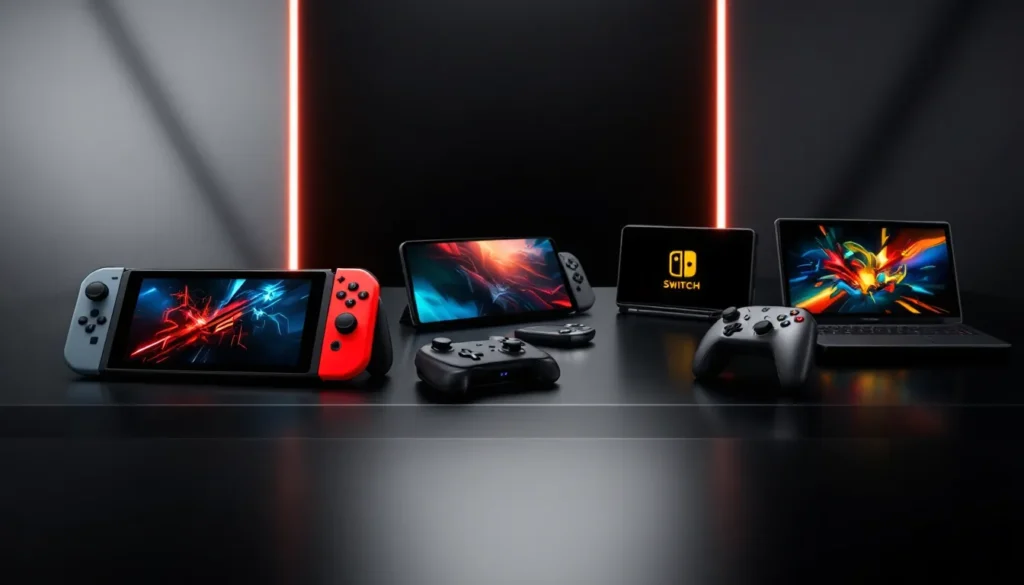

The Steam Deck revolutionized portable gaming when it launched in 2022, but it’s far from your only option in 2026. If you’re hunting for a steam deck alternative that better suits your gaming habits, budget, or preferred games, the handheld market has exploded with legitimate competitors. Each device brings something different to the table, whether that’s raw Windows performance, Nintendo’s unbeatable exclusive catalog, cutting-edge mobile processors, or specialized emulation capabilities. This guide breaks down the best steam deck alternatives currently available, so you can find the handheld that actually fits your gaming needs rather than just settling for what’s popular.
Table of Contents
ToggleKey Takeaways
- The steam deck alternative landscape in 2026 offers distinct choices optimized for different gaming needs, from the Windows-powered ASUS ROG Ally to Nintendo’s exclusive-heavy Switch.
- ASUS ROG Ally delivers 50% higher GPU performance than Steam Deck for demanding AAA titles like Cyberpunk 2077, though battery life of 2.5–3.5 hours is shorter than the Deck’s 4–6 hour endurance.
- Nintendo Switch remains unbeatable for exclusive franchises like Zelda, Mario, and Splatoon, with the OLED model offering superior visuals and portability that no other steam deck alternative can match.
- OnePlus 13 Gaming Variant excels exclusively at mobile gaming with flagship Snapdragon 8 Elite performance and 120Hz AMOLED display, but cannot run desktop or console-quality PC games.
- AYN Odin 2 Pro specializes as the premier emulation handheld with flawless retro gaming support from NES through GameCube, plus a spacious 10.9-inch AMOLED screen for immersive classic gaming experiences.
- Your ideal steam deck alternative depends on three factors: which games you actually play, your budget range ($300–$750), and whether you prioritize performance, exclusives, portability, or emulation capability.
Why Consider a Steam Deck Alternative?
The Steam Deck is genuinely good at what it does, but “good” doesn’t mean “right for everyone.” Maybe you want native Windows game support without compatibility layers. Maybe you care deeply about Nintendo’s first-party titles. Maybe you need a device that handles the latest AAA releases at higher framerates, or you’re specifically chasing emulation perfection for retro games.
Your gaming preferences, budget constraints, and what you actually want to play should drive the choice. The handheld landscape in 2026 offers real alternatives with distinct strengths rather than watered-down copies. Some devices hit different price points, others prioritize performance, and a few specialize in niches the Steam Deck doesn’t dominate. Understanding why you’d switch from the Steam Deck helps narrow down which alternative makes sense for your situation.
ASUS ROG Ally: The Windows Powerhouse
The ASUS ROG Ally stands as the most direct competitor to the Steam Deck if you want a Windows-based handheld that handles desktop games natively. Unlike the Steam Deck’s SteamOS layer, the Ally runs Windows 11 out of the box, which eliminates compatibility concerns for titles that don’t play nice with Proton.
Performance and Specs
The ROG Ally packs an AMD Ryzen Z1 Extreme processor, which substantially outperforms the Steam Deck’s custom APU in raw horsepower. You’re looking at roughly 50% higher GPU performance in real-world gaming scenarios. In demanding titles like Cyberpunk 2077 or Black Myth: Wukong, the Ally maintains playable framerates at higher settings where the Steam Deck drops to 30fps or lower. The 8-inch display runs at 1920×1200 (higher res than the Deck’s 1280×800), though battery life takes a hit compared to the Deck’s efficiency.
Battery endurance sits around 2.5 to 3.5 hours during intensive gaming, depending on settings. That’s notably shorter than the Steam Deck’s 4–6 hours. For weekend trips or extended sessions, you’ll need to plan differently.
Game Library and Compatibility
Windows 11 means you’re not gambling on Proton compatibility. Games launch exactly as they would on a desktop PC. This matters for online multiplayer titles with strict anti-cheat systems, certain older games with quirky DirectX requirements, or any game you’re unsure about. You get the entire Windows gaming ecosystem, Steam, Epic, Game Pass, everything, without worrying about whether a specific game will actually run.
The tradeoff: Windows introduces overhead. The OS consumes more battery and takes up storage space. You’ll also manage driver updates and occasional Windows quirks that the Steam Deck’s curated SteamOS avoids. For pure convenience, the Steam Deck still wins. For compatibility certainty, the Ally delivers.
Design and Build Quality
The Ally feels bulkier and heavier than the Steam Deck (around 640g versus 567g), which matters during extended handheld sessions. The grip design is solid without being exceptional. Thermal management runs hot, the device can get uncomfortable to hold during sustained gaming. ASUS included a carry case in the box, which is thoughtful, but the overall ergonomics lean toward “functional” rather than “premium.”
Durability appears on par with the Steam Deck so far, with no widespread defect reports 3+ years into availability. Button placement is intuitive for anyone coming from a traditional controller.
Nintendo Switch: The Established Classic
Dismissing the Nintendo Switch as just a “Nintendo machine” misses why it’s remained relevant since 2017. It’s still one of the best steam deck alternatives if you want proven hardware, mature software, and access to games you simply cannot play anywhere else.
Exclusive Games and Ecosystem
This is where the Switch dominates unquestionably. The Legend of Zelda: Breath of the Wild, Super Mario Odyssey, Mario Kart 8 Deluxe, Splatoon 3, Smash Bros. Ultimate, Metroid Prime Remastered, these franchises exist primarily (or exclusively) on Switch. If any of these series matter to you, that decision is made. No handheld alternative replicates Nintendo’s first-party lineup.
Beyond Nintendo’s games, the Switch has accumulated a massive indie library. Many smaller developers prioritize Switch support because the installed player base justifies the effort. You’ll find thousands of titles ranging from $5 pixel art adventures to complex strategy games. The eShop isn’t perfect, but selection is genuinely deep.
Online multiplayer through Nintendo Switch Online requires a subscription (around $50 annually for basic, $100 for the Expansion Pack). That’s cheaper than PC gaming but adds ongoing cost beyond initial hardware purchase.
Portability and Flexibility
The Switch’s modular design, detachable Joy-Con controllers, dock for TV output, portable handheld mode, remains its defining feature. You pick up the system and play anywhere. Dock it for home gaming on a television. The flexibility is unmatched by competitors. Battery life varies by model: the original Switch gets 4.5–6.5 hours, the Switch Lite gets 5.5–6.5 hours, and the newer Switch OLED model pushes 4.5–9 hours depending on usage.
The OLED model, released in 2021, features a gorgeous 7-inch screen that makes handheld gaming genuinely pleasant for extended periods. If you’re considering a Switch in 2026, the OLED version is the clear choice even though the higher cost. The 64GB internal storage feels tight with modern games consuming 10–30GB each, so budget for a microSD card (the Switch supports up to 2TB theoretically, though practical limits are lower).
OnePlus 13 Gaming Variant: Mobile Gaming Performance
Using a flagship smartphone as a gaming handheld isn’t a new concept, but the OnePlus 13 Gaming Variant represents how serious mobile gaming has become. This isn’t a gimmick, it’s a legitimate alternative if you want cutting-edge performance in a form factor you already carry.
Flagship Processor and Display
The OnePlus 13 Gaming Variant runs a Snapdragon 8 Elite processor, which demolishes anything in the Steam Deck, ROG Ally, or Switch in terms of raw computational power. Every AAA mobile game runs flawlessly at maximum settings with zero frame drops. Titles like Genshin Impact, Honkai: Star Rail, Call of Duty: Mobile, and PUBG Mobile don’t just work, they shine.
The display is a 6.7-inch AMOLED panel with 120Hz refresh rate and 3000 nits peak brightness. Outdoor visibility is superb, and the color accuracy blows other handhelds out of the water. For games with vibrant visuals and fast-paced action, the smoothness at 120Hz is genuinely noticeable compared to 60Hz displays on traditional handhelds. The aspect ratio is taller (closer to 20:9) than dedicated gaming devices, but modern games adapt well.
Thermal management is excellent thanks to a vapor chamber cooling system and graphite sheets dissipating heat aggressively. Gaming sessions don’t cause uncomfortable thermal throttling even during extended play.
Gaming Optimization Features
OnePlus built the Gaming Variant with dedicated optimization for mobile gaming. The software isolates gaming processes, prioritizing frame stability and input responsiveness. A toggle in the settings separates “gaming mode” from regular phone operation, which reduces background notifications and system overhead. Haptic feedback is surprisingly punchy for mobile, enhancing immersion during action games.
Storage comes in 512GB and 1TB configurations, more than enough for your game library without external cards. Battery capacity is 6,000mAh, giving you 8–10 hours of gaming or several days of light use. Fast charging (SuperVOOC) gets you to 50% in about 15 minutes.
The obvious limitation: you’re tethered to mobile gaming exclusively. PC ports and console-quality games aren’t available. If you want to play Baldur’s Gate 3, Starfield, or classic PC franchises, this device can’t deliver. It excels within mobile gaming’s ecosystem, which is genuinely massive, but it’s not a universal gaming handheld.
MSI Claw: Intel’s Gaming Handheld
MSI’s Claw represents Intel’s gambit in the handheld market, launching in 2024 as a direct competitor to the ROG Ally. The Claw aims to undercut the Ally on price while matching performance through Intel’s Xe-HPG architecture.
Processor Power and Performance
The Claw uses an Intel Core Ultra processor (specifically the Meteor Lake chip). Performance sits between the Steam Deck and the ROG Ally’s Ryzen Z1 Extreme. In benchmarks, the Claw trades blows with AMD’s offering depending on the specific title, some games favor Intel’s architecture, others favor AMD. Real-world framerates are close enough that the difference rarely matters.
What does matter: Intel optimizations. Games with explicit Intel GPU drivers can squeeze better performance on the Claw than equivalent AMD hardware. But, driver maturity favors AMD right now, so the practical advantage leans slightly toward the Ally in 2026. This gap may narrow as Intel’s drivers mature.
The 7-inch 1920×1200 display matches the Ally, and battery life is comparable at around 2.5–3.5 hours during gaming. Pricing positions the Claw roughly $100 cheaper than the Ally, making it an attractive option if budget is tight and you want that Windows-based performance.
Cooling and Thermal Management
MSI included an aggressive cooling solution to handle sustained performance. The device uses a liquid vapor chamber combined with active cooling, a small fan can spin up during demanding games. This keeps thermals under control and prevents thermal throttling that hampers other handhelds.
The downside: the cooling solution adds thickness and weight (around 650g), and the active cooler introduces a small amount of noise during intensive gaming. It’s not loud, but it’s noticeable in quiet environments. The device can also get uncomfortably warm to hold during peak load, though not as bad as the Ally.
Build quality is solid. Triggers feel responsive, and the overall construction suggests decent longevity. But, MSI’s support ecosystem for handhelds isn’t as established as ASUS’s, so warranty and repair services may vary by region.
AYN Odin 2 Pro: The Android Alternative
For gamers specifically interested in emulation, retro gaming, and Android titles, the AYN Odin 2 Pro carves out a niche that neither Windows-based handhelds nor traditional consoles fill. It’s not trying to replace the Steam Deck, it’s offering an alternative gaming philosophy entirely.
Emulation and Retro Gaming
The Odin 2 Pro runs Android, paired with a Snapdragon 8 Gen 3 Leading Version processor. This combination is phenomenal for emulation. Every retro gaming system from NES through Dreamcast, and even lighter PlayStation 1 titles, runs flawlessly. PSP emulation is excellent, N64 games are buttery smooth, and GameCube emulation through DOLPHIN reaches playable framerates on most titles.
Emulation isn’t just a side feature here, it’s the device’s raison d’être. Coupled with an 10.9-inch AMOLED display, gaming feels immersive even for older pixel art. The large screen transforms classic games that would feel cramped on smaller handhelds.
Android also opens access to the entire Google Play ecosystem plus sideloading options. Many mobile games run beautifully on the Odin 2 Pro, and the larger screen makes games like PUBG Mobile or Genshin Impact genuinely enjoyable compared to phone-sized screens.
Price and Value Proposition
The Odin 2 Pro carries a premium price, around $500–600 depending on storage and regional availability. That’s comparable to a mid-tier ROG Ally, but you’re buying a different value proposition. You’re not getting Windows AAA compatibility. You’re getting the best-in-class emulation handheld plus solid mobile gaming performance.
For retro gaming enthusiasts with deep emulation libraries and collectors who want a device that shines with classic systems, the value is excellent. You’ll actually use the emulation features here, unlike on a Steam Deck where emulation is an afterthought.
Battery life around 4–6 hours during gaming is respectable, and the large screen means less eye strain during extended sessions compared to smaller 7-inch handhelds. Build quality reflects the premium pricing, materials feel substantial, and ergonomics are thoughtfully designed for long handheld sessions.
Comparison: Which Device Suits Your Needs?
Choosing between these alternatives requires honest reflection on what you actually play and what matters most to you.
Performance Tier Breakdown
If raw performance is your priority, the ROG Ally leads with the Ryzen Z1 Extreme. The MSI Claw follows closely behind at a lower price point. The OnePlus 13 Gaming Variant technically outperforms both for mobile games but can’t run PC titles. The Steam Deck (mentioned for context) sits below these but punches above expectations through smart optimization. The Switch prioritizes different strengths entirely, it’s not a performance device.
Consider how much performance matters for your actual gaming. If you’re playing indie titles, older games, or optimized ports, the Steam Deck’s performance is sufficient. If you want to run Black Myth: Wukong at high settings with 60fps, the Ally or Claw are necessary.
Budget Considerations
The Nintendo Switch remains the cheapest entry point at around $300 for the base model, $350 for the Lite, and $350 for the OLED (prices vary by region and sales). You get proven hardware and an enormous game library.
The Steam Deck sits around $400–550 depending on storage and availability. For the performance-per-dollar, it’s still exceptional. The MSI Claw undercuts the ROG Ally significantly, starting around $500 versus $650+ for the Ally. The OnePlus 13 Gaming Variant ranges from $600–750 as a flagship phone, expensive if you’re not already needing a replacement. The AYN Odin 2 Pro at $500–600 is pricey but justified if emulation is your focus.
Game Selection and Library Size
The Steam Deck and ROG Ally have access to the entire Windows/Steam library, tens of thousands of games. The Switch has fewer total titles but includes the most valuable exclusives and a massive indie ecosystem. The OnePlus 13 Gaming Variant taps into Google Play’s mobile gaming market, which is huge but different in character, fewer AAA console-style experiences, more live-service and mobile-native games. The AYN Odin 2 Pro excels for emulation libraries you curate yourself.
Think about where your existing game library lives. If you own games on Steam, Windows compatibility matters. If you care about Zelda or Mario, the Switch is mandatory. If you primarily chase live-service mobile games, the OnePlus Variant makes sense. For Steam Deck vs other handheld gaming PCs decisions, the ROG Ally and MSI Claw are your primary contenders.
Consider also that game support evolves. The Switch is mature with 6+ years of software. The ROG Ally and MSI Claw are newer, with developer support still ramping up for optimized handheld releases. The OnePlus devices receive regular Android updates for several years. The AYN Odin 2 Pro benefits from active emulation community development.
Conclusion: Making Your Final Choice
The best steam deck alternative isn’t a single device, it’s the one that aligns with how you actually play games. Each handheld here excels in different areas. The ROG Ally dominates performance and Windows compatibility. The Nintendo Switch owns exclusives and flexibility. The OnePlus 13 Gaming Variant reigns for mobile gaming at premium specs. The MSI Claw offers competitive performance at lower cost. The AYN Odin 2 Pro specializes in emulation and retro gaming.
Your decision depends on three factors: what games matter to you, how much you want to spend, and what features make handheld gaming enjoyable (screen quality, weight, battery life, ecosystem). There’s no universal “best”, only what’s best for your specific situation.
The Steam Deck remains excellent and arguably the best overall value, but if its compromises don’t align with your needs, these alternatives deliver. The handheld gaming landscape in 2026 is genuinely competitive, which benefits consumers with real choices rather than a single dominant option. Take time to define what actually matters in your handheld experience, then match that priority to the device that delivers it. You’ll enjoy gaming more when you’re not compromising on something important to you.
For deeper dives into specific devices, Steam Deck tips for maximizing your handheld can help you understand how even the original device compares in real-world usage. If you’re torn between multiple options, Steam Deck examples showcase the actual versatility of Valve’s device, providing useful context as you evaluate which alternative might better serve your gaming style.


